
Z-Image Base vs Flux Pro: Ultimate Quality Comparison for 2026
When it comes to high-quality AI image generation in 2026, two models stand out: Z-Image Base and Flux Pro. But which one actually delivers better quality for your specific needs? After extensive testing across diverse prompts, styles, and use cases, we've compiled this comprehensive comparison to help you make the right choice.
The Core Difference: Philosophy and Purpose
Before diving into quality comparisons, it's essential to understand what these models are designed to do:
Z-Image Base is a 6B parameter open-weight model built on the S3-DiT architecture, optimized for photorealism and natural image generation. It's non-distilled, meaning it retains the full quality of the training process without speed optimizations that might compromise output.
Flux Pro is Black Forest Labs' premium closed-source model, available only through API access. It's part of the Flux.1 family (with Flux 2.0 being the latest iteration), designed for production-grade image generation with strong prompt adherence and consistent results.
The fundamental difference lies in their approach: Z-Image Base prioritizes raw photorealistic quality and open accessibility, while Flux Pro emphasizes prompt following, consistency, and enterprise-grade reliability.
Photorealism: The Ultimate Quality Test
For realistic portraits, product photography, and scenes that could pass as photographs, we tested both models with identical prompts focused on natural lighting, textures, and details.
Portrait Photography
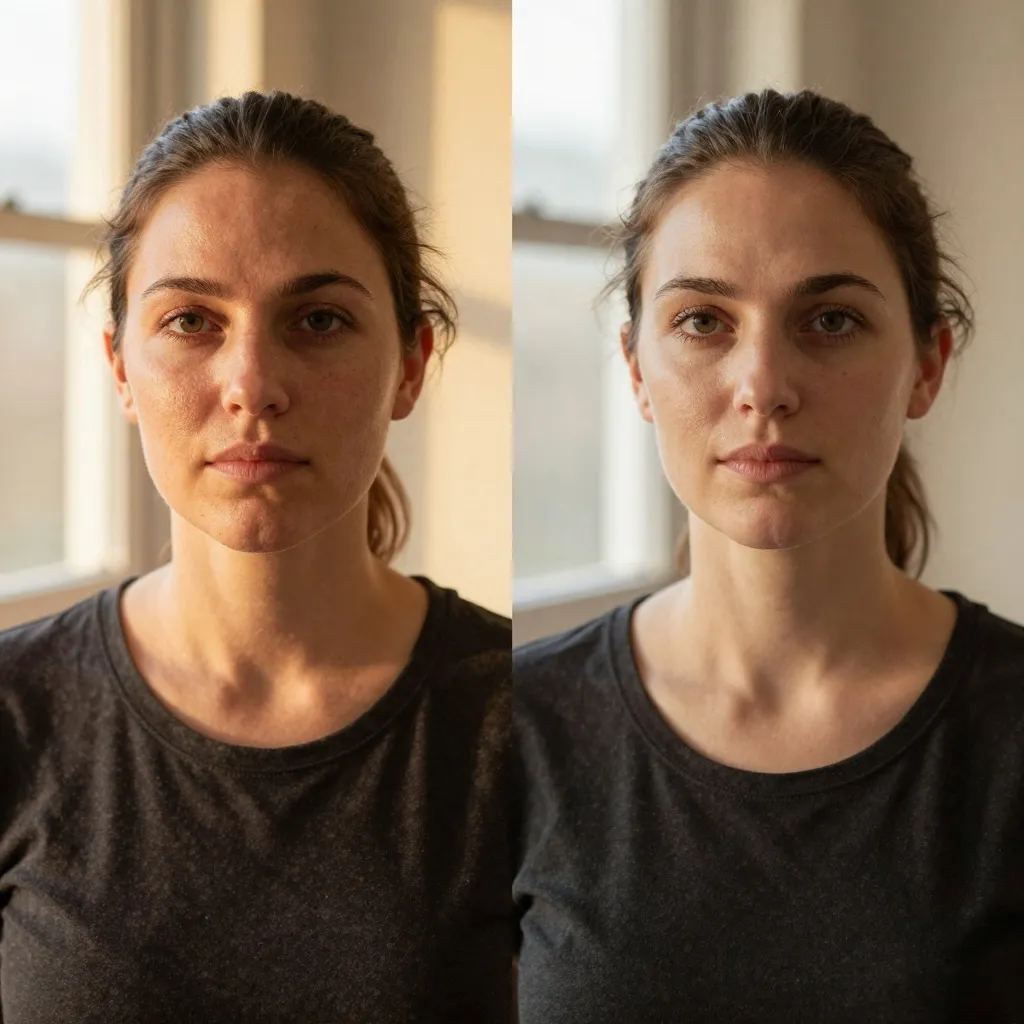
In portrait generation, Z-Image Base consistently excels at:
- Skin texture and micro-details (pores, fine lines, subsurface scattering)
- Natural lighting gradation and soft shadows
- Realistic eye reflections and catchlights
- Hair strand detail and physics
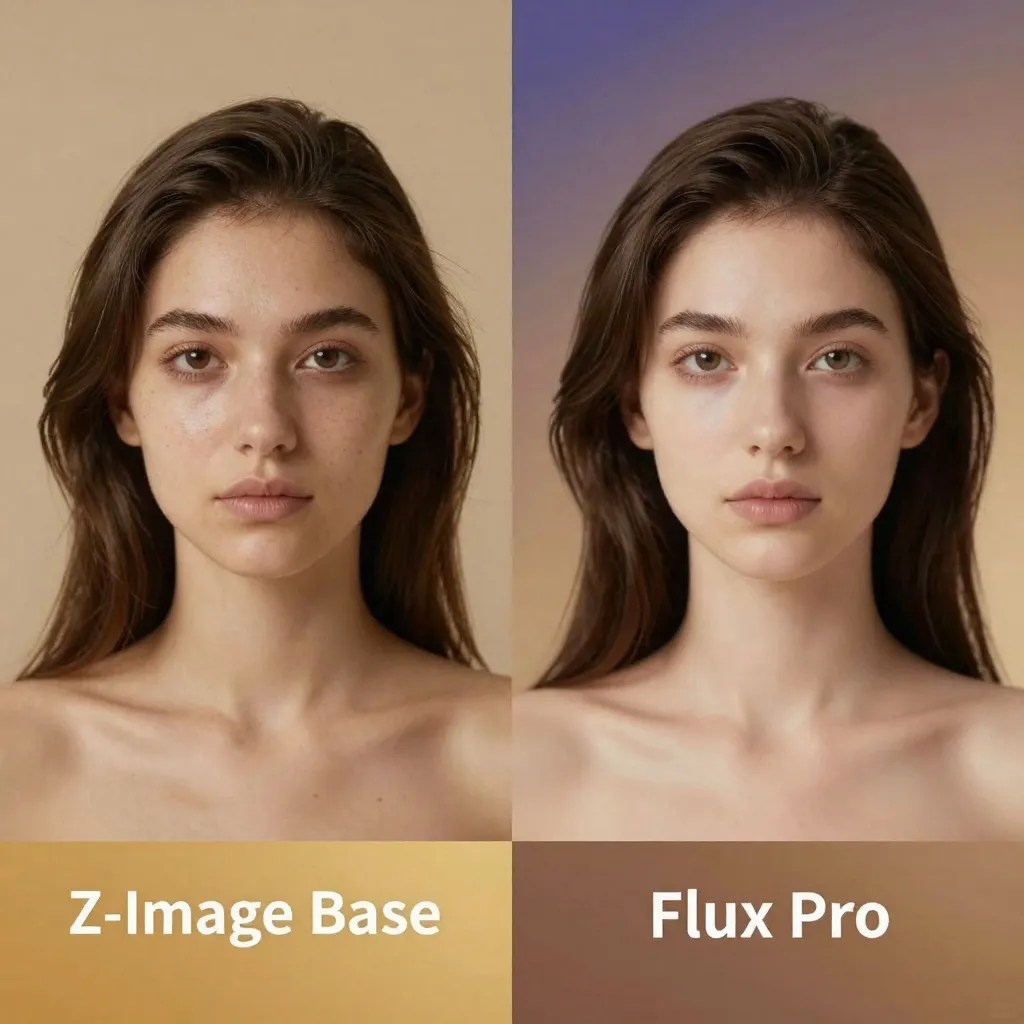
Flux Pro produces excellent portraits but tends toward slightly idealized features. Skin is often smoother than reality, and while this can be desirable for commercial work, it sometimes lacks the tactile realism that makes Z-Image Base outputs feel like genuine photographs.
Winner: Z-Image Base for pure photorealism
Product and Commercial Photography
When generating product shots, both models perform admirably but with different strengths:
Z-Image Base advantages:
- More realistic material rendering (fabric textures, metal reflections, glass refraction)
- Better natural lighting simulation
- Superior depth of field effects
Flux Pro advantages:
- Stronger adherence to brand guidelines and specific styling instructions
- More consistent output across multiple generations
- Better at following complex composition requirements
For e-commerce and product visualization where consistency matters more than absolute realism, Flux Pro has the edge. For editorial and artistic product shots where visual impact is paramount, Z-Image Base wins.
Winner: Tie - depends on use case
Text Rendering and Typography
Both models have made significant strides in text rendering, a historically weak area for image generators.
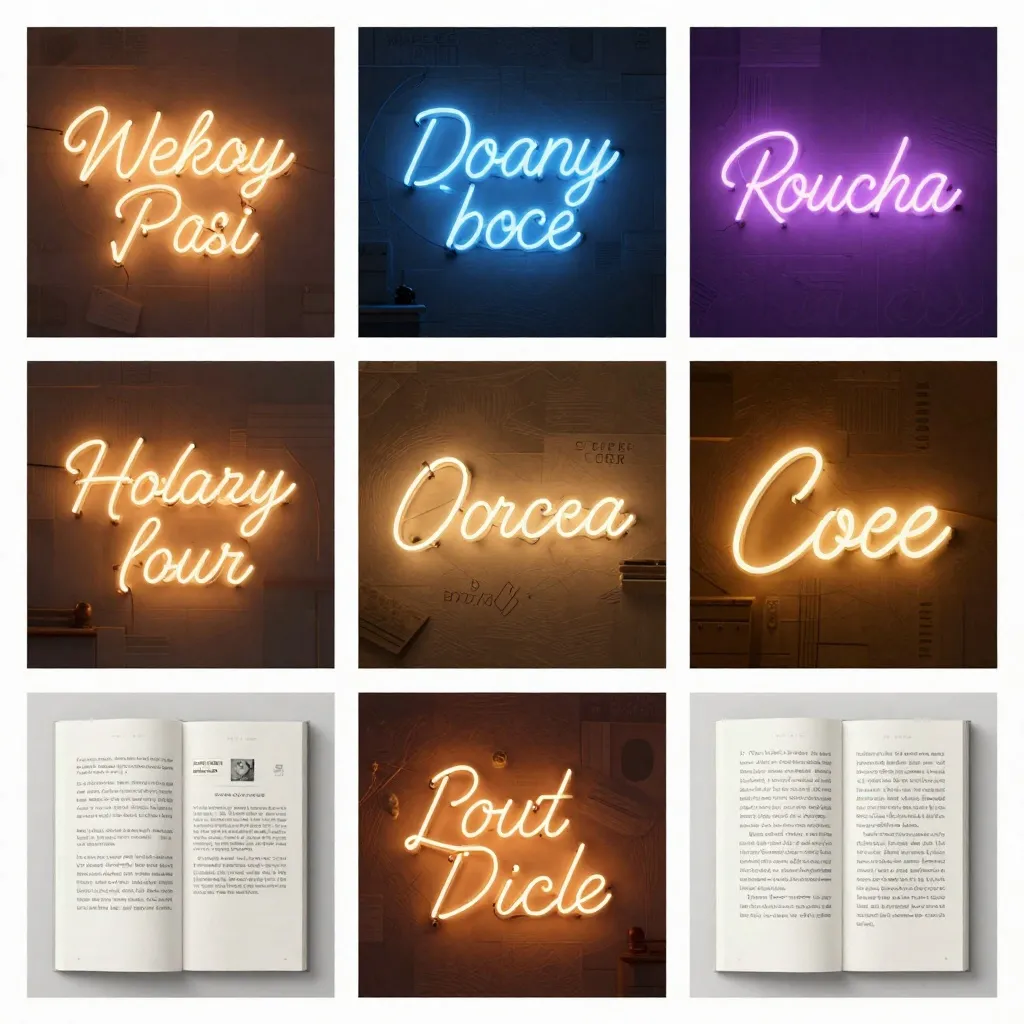
Z-Image Base: Excellent at short text (1-3 words), very good at longer phrases. Text integrates naturally into scenes with appropriate perspective and lighting.
Flux Pro: Strong short text performance, good at medium-length text. Benefits from Flux's contextual understanding in later variants.
In head-to-head tests, Z-Image Base shows slightly better accuracy for longer text strings and more natural integration of typography into environmental contexts (signage, product labels, documents).
Winner: Z-Image Base (slight edge)
Prompt Adherence and Control
This is where Flux Pro's design philosophy shines.
Flux Pro strengths:
- Superior understanding of complex, multi-part prompts
- Better at following specific technical instructions (camera settings, lighting setups)
- More consistent interpretation of abstract concepts
- Handles detailed composition instructions reliably
Z-Image Base strengths:
- Excellent at core visual concepts
- Strong understanding of artistic styles and techniques
- Good at emotional and atmospheric prompts
- Natural interpretation of photographic terminology
For precise control over every aspect of an image, Flux Pro's prompt following is more reliable. For creative exploration where you want the model to interpret and enhance your vision, Z-Image Base often produces more inspired results.
Winner: Flux Pro for precision, Z-Image Base for creative interpretation
Art Styles and Diversity
We tested both models across 20+ art styles, from oil painting to cyberpunk to watercolor.
Z-Image Base:
- Excels at photorealistic styles and natural media (oil, watercolor, charcoal)
- Strong at lighting-focused genres (cinematic, noir, golden hour)
- Good at architectural and interior design visualization
- Some limitations in highly stylized or abstract genres
Flux Pro:
- Strong across diverse styles with consistent quality
- Excellent at contemporary digital art styles
- Good at pop culture references and modern aesthetics
- More predictable results across style transfers
The Reddit community has noted that Z-Image Base can sometimes struggle with concepts outside its training distribution, while Flux Pro (especially Flux 2.0) shows better understanding of esoteric concepts and pop culture references.
Winner: Flux Pro for style diversity, Z-Image Base for photorealistic genres
Speed and Performance Considerations
While this article focuses on quality, it's worth noting that Z-Image Base is significantly faster when run locally, especially with optimizations like FP8 quantization or GGUF format for CPU inference.
Flux Pro (API-only): ~8-15 seconds per image (cloud-optimized)
Z-Image Base (local RTX 4090): ~20-35 seconds depending on settings
Z-Image Base (local RTX 3060 with GGUF): ~2-4 minutes
For production workflows where time is money, Flux Pro's cloud optimization provides consistent performance. For hobbyists and researchers, Z-Image Base's flexibility in deployment options is a major advantage.
Cost Analysis
Over 1,000 generations (approximate):
Flux Pro API: $20-60 depending on resolution and provider
Z-Image Base (self-hosted): $0-10 in electricity (amortized hardware cost)
For high-volume commercial use, the self-hosted option becomes dramatically more cost-effective, though it requires technical expertise to set up and maintain.
Real-World Use Case Recommendations
Based on our testing, here's when to choose each model:
Choose Z-Image Base when:
- Photorealism is your top priority - portraits, architectural visualization, product photography
- You need to run locally - privacy concerns, offline work, cost optimization
- You want maximum control - fine-tuning, custom workflows, experimentation
- You value open-source - transparency, community improvements, no vendor lock-in
Choose Flux Pro when:
- Consistency matters more than absolute quality - brand assets, product catalogs
- You need reliable prompt following - precise specifications, technical requirements
- You want hands-off operation - no local setup, cloud-based workflows
- Prompt complexity is high - detailed compositions, multiple subjects, specific constraints
The Verdict
Both models are exceptional at what they do, and the "better" choice depends entirely on your needs:
- For pure visual quality and photorealism: Z-Image Base maintains a slight edge, particularly in skin rendering, natural lighting, and material authenticity.
- For production workflows and consistency: Flux Pro's reliability and prompt adherence make it the safer choice for commercial applications.
- For value and flexibility: Z-Image Base's open nature and local deployment options offer unbeatable long-term value.
The exciting news? You don't have to choose exclusively. Many professionals use both: Flux Pro for rapid prototyping and client previews, Z-Image Base for final renders and projects where maximum quality is required.
Getting Started
Ready to test these conclusions yourself?
- Z-Image Base: Available for local installation or try it on our z-image-base page. Check out our optimization techniques for the best quality settings.
- Flux Pro: Available through Black Forest Labs' official API and partner platforms like WaveSpeedAI and RunDiffusion.
Both models represent the cutting edge of AI image generation in 2026. Whichever you choose, you're working with exceptional tools that push the boundaries of what's possible.
Related Reading: