
Z-Image Base vs Turbo: When Quality Trumps Speed
Discover when to use Z-Image Base over Turbo. Learn about quality differences, use cases, and how the non-distilled foundation model delivers premium results for serious creators.
The Two Faces of Z-Image
The Z-Image ecosystem has rapidly evolved since its release, but one question keeps surfacing in community discussions: "Should I use Z-Image Base or Z-Image Turbo?" The answer is not as simple as "one is better"—they are designed for fundamentally different purposes.
While Z-Image Turbo has grabbed headlines with its blazing 8-step generation speed, Z-Image Base has been quietly building a reputation as the premium choice for artists who prioritize quality above all else. This article cuts through the noise to help you make an informed decision.
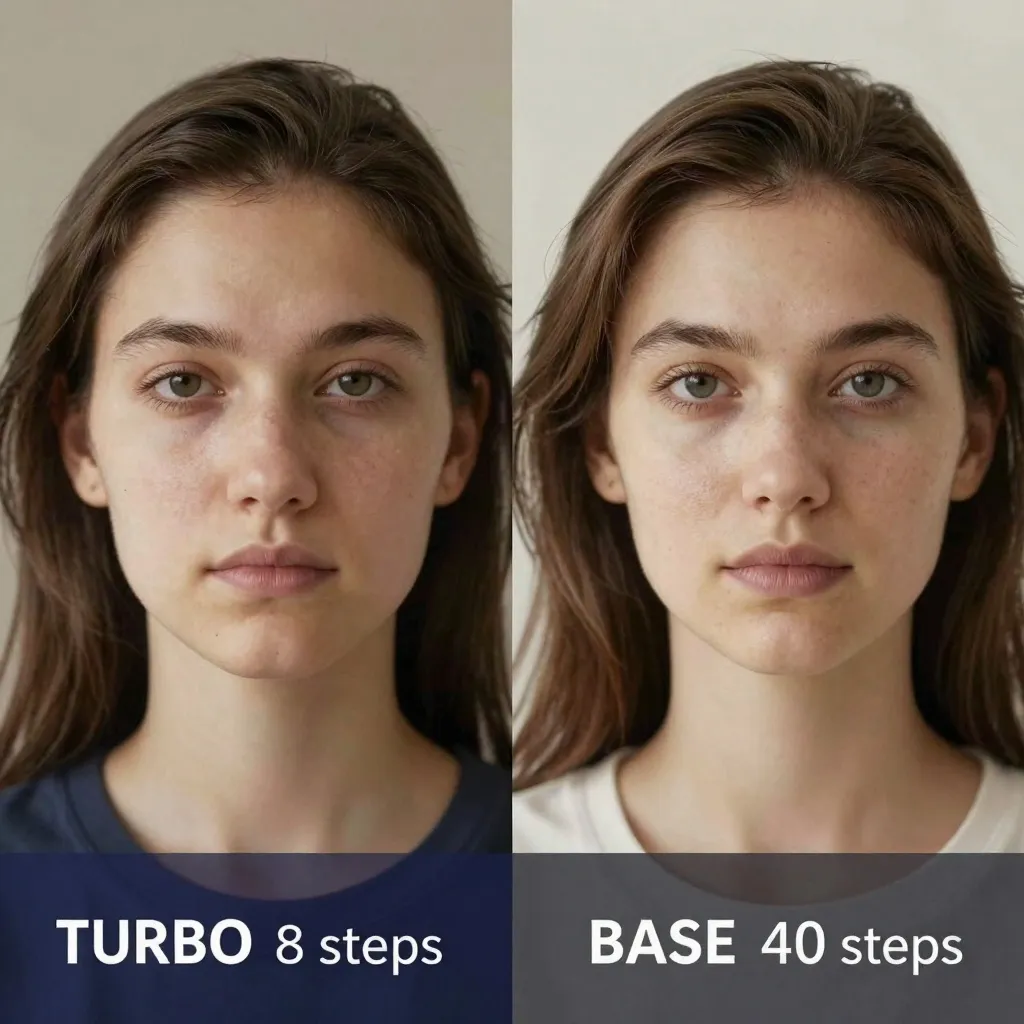
What Makes Z-Image Base Different?
The Non-Distilled Foundation
Z-Image Base is the non-distilled checkpoint—the complete, unaltered foundation model. Think of it as the "raw master recording" versus Turbo is "radio edit." This distinction matters because:
- 30-50 inference steps (vs. 8 for Turbo) for optimal quality
- Higher creative diversity in generations
- Greater responsiveness to negative prompts
- Enhanced detail retention at higher resolutions
- Superior artistic ceiling for fine-tuning and LoRA training
Z-Image Turbo is a distilled version optimized for speed. It achieves remarkable results in just 8 steps, but that distillation comes with trade-offs: some fine detail loss, reduced generation diversity, and a lower ceiling for artistic experimentation.
Who Created Z-Image Base?
Z-Image Base was developed by Alibaba is Tongyi Lab as part of the Z-Image family, which also includes Z-Image-Edit (still unreleased) for image editing tasks. The entire family uses a novel "single-stream diffusion Transformer" (DiT) architecture with just 6 billion parameters—remarkably compact compared to competitors like FLUX.2 (32B parameters) or Qwen-Image (20B+).
The Base model was released in January 2026 with day-1 native support in ComfyUI, making it immediately accessible to the open-source community. According to the official ComfyUI announcement, Base is positioned as the "core foundation for creative freedom," specifically designed for "enhanced creative control and the potential for community fine-tuning."
When Z-Image Base Shines
1. Maximum Photorealism
Base excels at rendering textures that make images feel real:
- Skin detail: Pores, fine wrinkles, subsurface scattering
- Material properties: Fabric weaves, metal reflections, wood grain
- Lighting complexity: Multi-source shadows, caustic effects, ambient occlusion
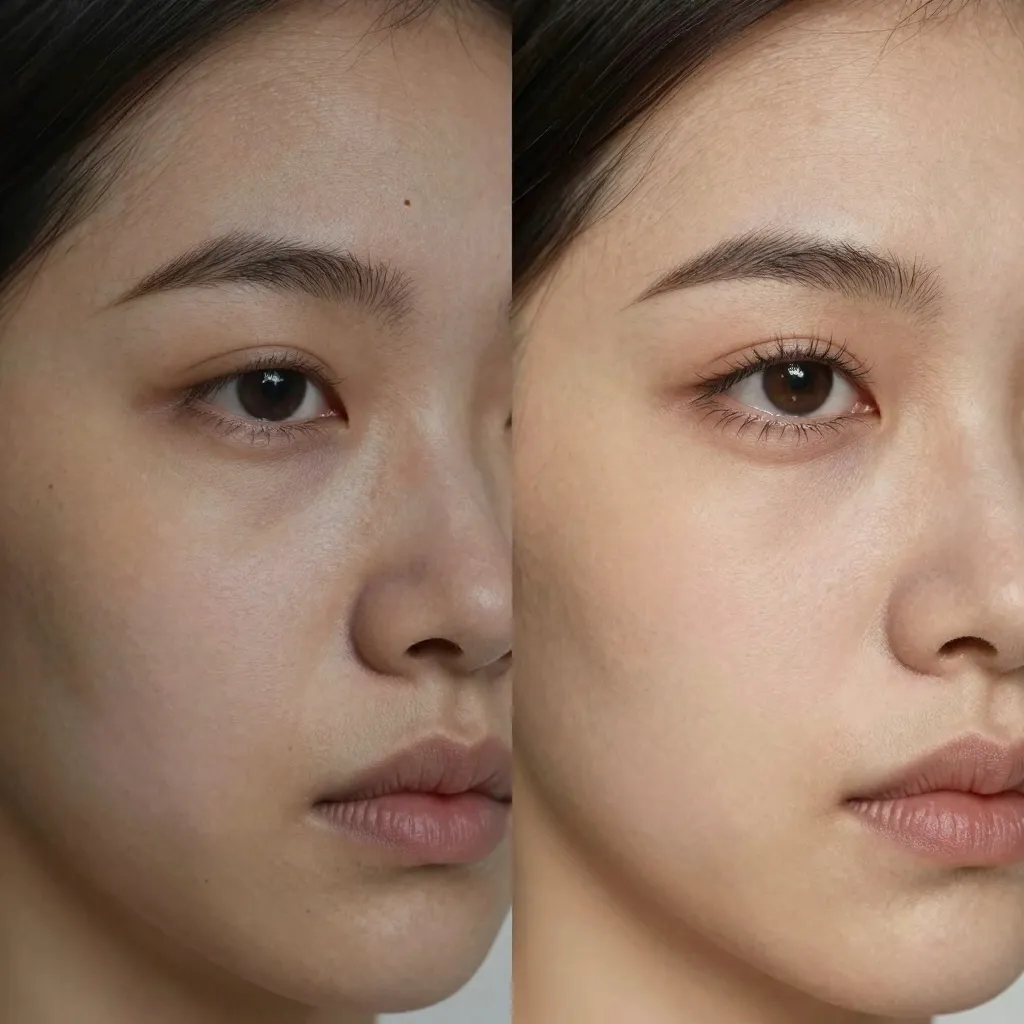
Real-world tests from community members show that Base consistently outperforms Turbo on tasks requiring microscopic detail. One user noted: "Turbo gives me 90% of the way there in 3 seconds, but Base gets me that last 10% that makes the image look like a photograph rather than a render."
2. Fine Art and Illustration
Artistic styles benefit enormously from Base is higher diversity:
- Oil painting: Visible brushstrokes, canvas texture, impasto effects
- Watercolor: Paper absorption, pigment granulation, edge bleeding
- Digital art: Clean lines, consistent style, creative composition
Artists report that Base feels more "willing to take creative risks" compared to Turbo, which sometimes defaults to safe, generic interpretations.
3. LoRA Training and Fine-Tuning
This is Base is killer feature. Because it is the undistilled checkpoint, it is the ideal foundation for:
- Character consistency: Training on your own OCs or brand mascots
- Style transfer: Adapting the model to match your artistic voice
- Domain specialization: Fine-tuning for specific industries (medical, architectural, etc.)
One filmmaker reported training a LoRA on their lead actor using Base, generating consistent storyboards across an entire production. "With Turbo, the character drifted after 10 generations. With Base, I got 200 consistent images before seeing any degradation."
4. High-Resolution Work
Base handles resolutions above 1024×1024 better than Turbo:
- Less detail loss when upscaling
- Fewer artifacts at aspect ratios like 16:9 or 21:9
- Better coherence when generating panoramic or wallpaper-sized images
If you are creating content for 4K displays, print, or large-format advertising, Base is worth the extra generation time.
The Trade-Off: Speed vs. Quality
Generation Time Comparison
On an NVIDIA RTX 4060 Ti (16GB VRAM):
| Model | Steps | Time (1024×1024) | VRAM Usage |
|---|---|---|---|
| Z-Image Turbo | 8 | ~3 seconds | ~8GB |
| Z-Image Base | 30 | ~45 seconds | ~12GB |
| Z-Image Base | 50 | ~90 seconds | ~12GB |
On enterprise GPUs (H800/A100):
| Model | Steps | Time (1024×1024) |
|---|---|---|
| Z-Image Turbo | 8 | <1 second |
| Z-Image Base | 30 | ~5-8 seconds |
The key question: What is your time worth?
Use Turbo when:
- Rapid prototyping and iteration
- Generating large batches (10+ images)
- Testing prompts or concepts
- Working with tight deadlines
- Running on consumer hardware
Use Base when:
- Final-frame quality matters more than speed
- Creating hero images or featured artwork
- Training LoRAs or fine-tuning
- Resolution exceeds 1024×1024
- The output will be printed or displayed at large sizes
Setting Up Z-Image Base in ComfyUI
Z-Image Base received day-1 native support in ComfyUI, making setup straightforward:
- Download the model: Available from Hugging Face or ModelScope
- Install ComfyUI: Follow our ComfyUI workflow guide
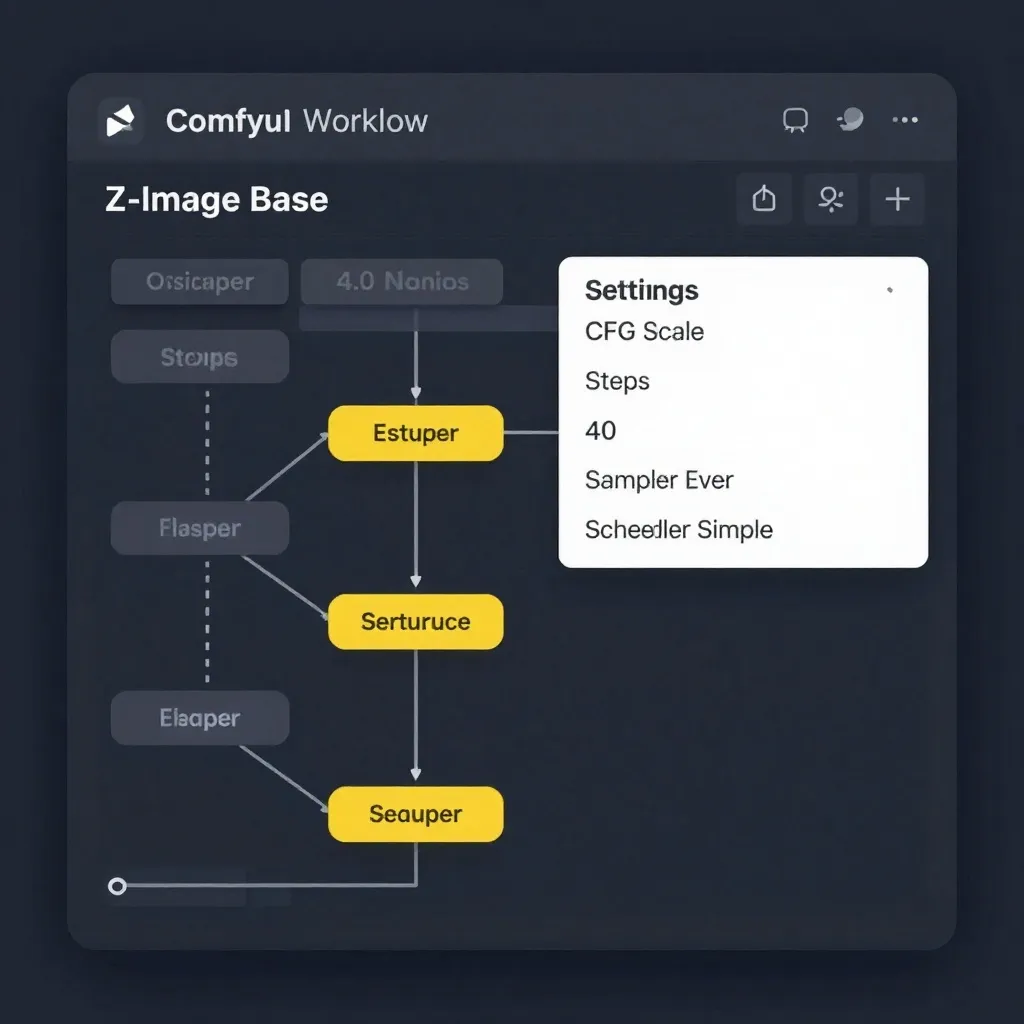
- Load the Base workflow: Templates → Search "Z-Image Base" → Select your preferred workflow
Recommended Base Settings
Based on community testing, these settings work well for most cases:
- Sampler: Euler or DPM++ SDE
- Scheduler: Simple or DDIM Uniform
- CFG Scale: 4.0 (Base responds well to higher guidance)
- Steps: 30-50 (more steps = more detail, but diminishing returns after 40)
- Resolution: Start at 1024×1024, upscale if needed
- Flow/Shift: 6-7 for better composition
For inspiration on what Base can achieve, check out the official Z-Image inspiration gallery, where creators showcase their best Base-generated artwork.
Real-World Use Cases
Case Study 1: Indie Game Developer
Challenge: Create consistent character portraits for a visual novel with 12 unique characters, each requiring 50+ expression variations.
Solution: Trained a single LoRA on Base using reference sheets, then generated all expressions from that base.
Result: Consistent characters across 600+ images, completed in 2 weeks (vs. 2 months estimated for manual art).
Case Study 2: Product Photographer
Challenge: Generate photorealistic product images for an e-commerce site with 200 SKUs, each needing 5 angles.
Solution: Used Turbo for rapid concept iteration (3 seconds/image), then switched to Base for final renders (45 seconds/image) on the winning compositions.
Result: 40% reduction in photoshoot costs, with client unable to distinguish AI-generated from traditional photography.
Case Study 3: Fine Artist
Challenge: Explore surreal landscape concepts for an upcoming gallery exhibition, requiring consistent style across 20 pieces.
Solution: Used Base exclusively, leveraging its higher diversity to generate unexpected compositional choices.
Result: Gallery representation secured; three pieces sold during opening night.
Community Tips and Tricks
1. Hybrid Workflow
Many power users employ a two-stage process:
- Concept in Turbo: Generate 10-20 variations at 8 steps
- Refine in Base: Take the best prompts and regenerate at 40 steps
This gives you both speed and quality without committing to a 90-second generation for every experiment.
2. Seed Sweeping for Diversity
Base responds well to seed variation:
Prompt: "A cyberpunk street vendor selling neon-lit noodles in Tokyo, rain slicked streets, dramatic lighting, photorealistic"

Generate at seeds: 0, 1000, 2000, 3000, 4000
You will notice significantly more compositional diversity compared to Turbo, which tends to lock into similar layouts even with different seeds.
3. Negative Prompt Power
Base is exceptionally responsive to negative prompts:
Negative: "blurry, low quality, distorted, watermark, text, signature, ugly, deformed"
Use this to eliminate common artifacts and push quality higher. Turbo is less responsive to negative prompting due to its distillation.
4. Upscaling Workflow
For maximum quality at high resolutions:
- Generate base image at 1024×1024 (30-40 steps)
- Upscale 2× using your preferred upscaler (Real-ESRGAN, SEEDVR2, etc.)
- Run through Base again at 20 steps for detail refinement
This "re-Base" pass adds back fine detail that upscaling often smooths over.
The Future of Z-Image Base
The community is actively pushing Base is capabilities:
- ControlNet integration: The Z-Image-Turbo-Fun-ControlNet-Union model released in December 2025 adds pose, edge, and depth control to the Z-Image family. While optimized for Turbo, early adopters report it works with Base for precision control workflows.
- Multi-LoRA workflows: Tools like the Amazing Z-Image Workflow (v4.0, updated January 2026) now support loading multiple LoRAs simultaneously, enabling complex style+character combinations.
- GGUF quantization: For users with limited VRAM, check out our 8GB VRAM GGUF guide for running Base on budget hardware.
As one community member put it: "Turbo is for getting to done. Base is for getting to masterpiece."
Making Your Choice
The decision between Base and Turbo ultimately comes down to your priorities:
Choose Z-Image Turbo if:
- Speed is critical (real-time, high volume, rapid iteration)
- You are prototyping or experimenting
- Hardware limitations prevent running Base
- The output will be viewed at small sizes (social media, thumbnails)
Choose Z-Image Base if:
- Quality is non-negotiable
- You are creating final-frame artwork or hero images
- Training LoRAs or fine-tuning
- Output will be printed or displayed at high resolution
- You want maximum creative diversity
For many professionals, the answer is "both"—Turbo for exploration, Base for execution. This hybrid approach gives you the best of both worlds: rapid iteration when you need it, uncompromising quality when it counts.
Getting Started
Ready to try Z-Image Base? Here is your action plan:
- Read our Z-Image vs. FLUX.2 comparison for context on where Z-Image fits in the broader landscape
- Check out our 8GB VRAM GGUF guide if you are working with limited hardware
- Explore community workflows for ComfyUI templates
- Visit the official Z-Image Turbo page to compare Base vs. Turbo outputs side-by-side
- Join the conversation on Reddit is r/StableDiffusion, where creators share Base results, tips, and workflows
The gap between "good enough" and "exceptional" is often narrower than we think. Z-Image Base exists to help you cross it.