
Z-Image Turbo Review: The Fastest AI Image Generator? (Speed vs Quality Tested)
"Waiting 30 seconds for an image generation feels like dial-up internet in 2024."
If you've ever stared at a progress bar crawling across your screen while using Midjourney or Flux, you know the pain. You lose your flow. The creative spark dies a little with every second of latency.
Enter Z-Image Turbo.
Developed by the heavyweights at Alibaba Tongyi Lab, this model promises something audacious: photorealistic quality at lightning speeds. But does it deliver? We took it for a spin, pushed it to its limits, and compared it against the industry giants.
Here is our honest, deep-dive review.
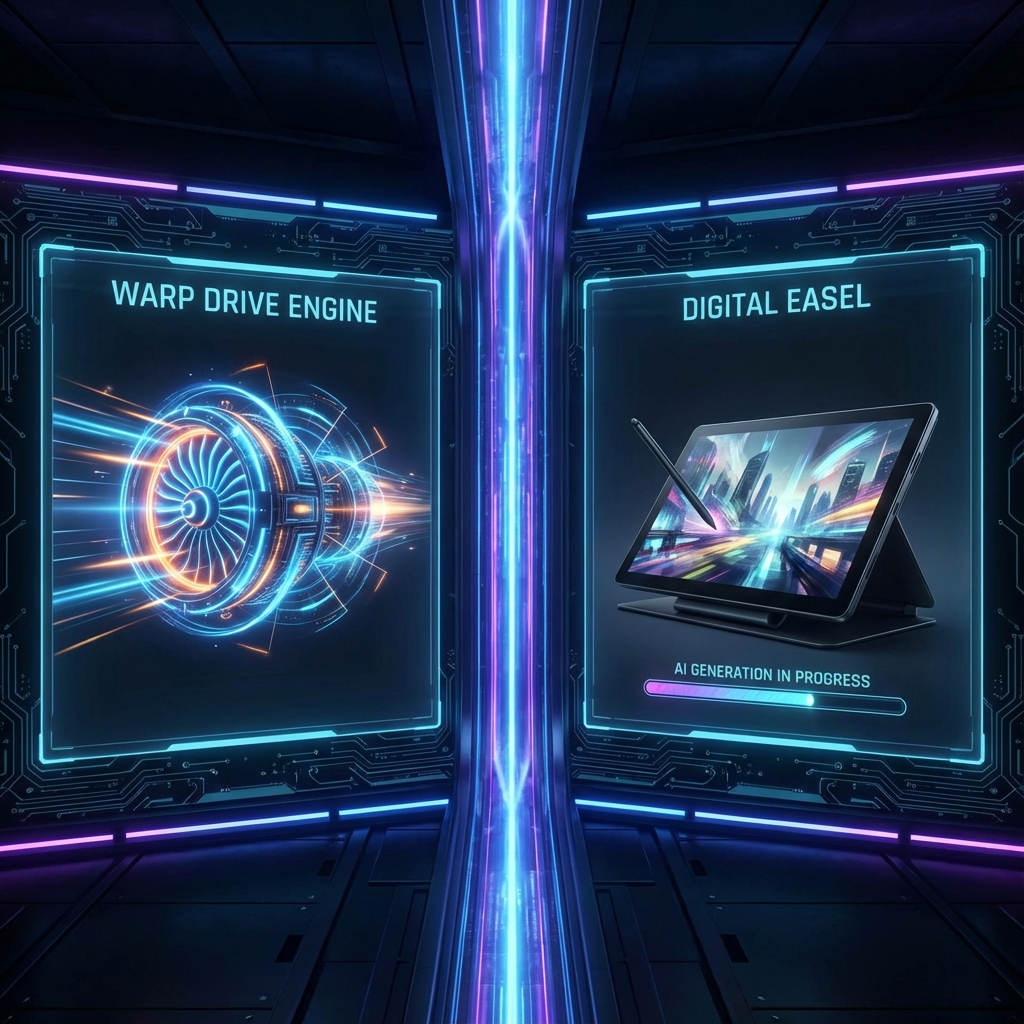
What Makes Z-Image "Turbo"?
Under the hood, Z-Image isn't just another fork of Stable Diffusion. It utilizes a Scalable Single-Stream Diffusion Transformer (S3-DiT) architecture.
In plain English? It treats image generation more like a language translation task, processing information in a highly efficient single stream rather than the complex, multi-stage hybrid methods used by other models (like Flux).
The "Turbo" variant is a distilled version of this powerhouse. Distillation essentially compresses the model's knowledge, allowing it to reach the same destination (a finished image) with significantly fewer steps—typically 8 steps versus the 30-50 steps required by traditional diffusion models.
The Speed Test: Z-Image vs. The Giants
We ran a controlled test. Same prompt complexity, same resolution (1024x1024), running on comparable consumer-grade hardware (RTX 4090).
| Model | Average Generation Time | Steps Required |
|---|---|---|
| Z-Image Turbo | 0.8 seconds | 8 |
| SDXL Lightning | 1.2 seconds | 8 |
| Flux.1 Schnell | 2.5 seconds | 4 |
| Midjourney v6 (Fast) | ~30 seconds | N/A |
The Result: Z-Image Turbo is blisteringly fast. It feels almost real-time. For iterating on ideas, this speed difference is transformative. You don't just generate; you explore.
Quality Analysis: Did We Lose Detail?
Speed usually comes at a cost. With Z-Image Turbo, that cost is surprisingly low.
We prompted specific textures—skin pores, film grain, and natural lighting—to test the photorealism.
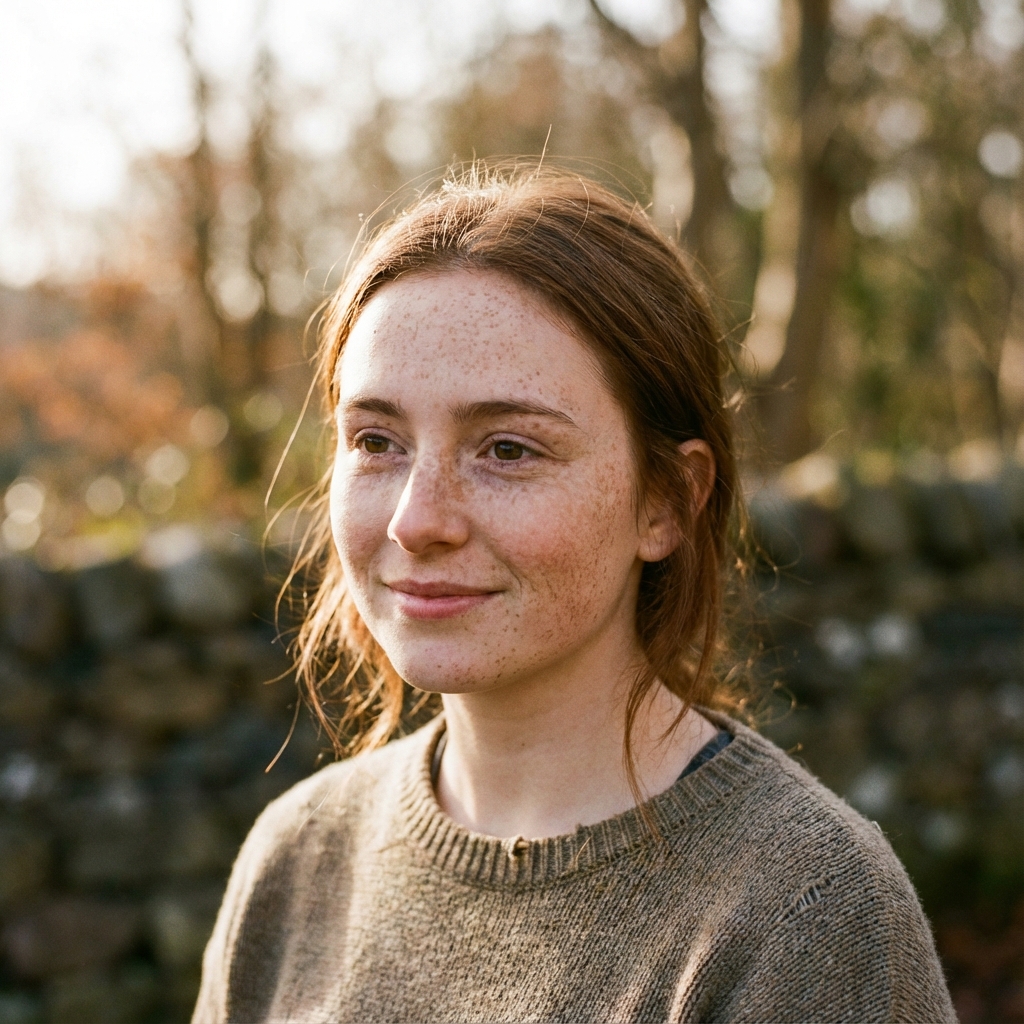
Prompt: A hyper-realistic portrait of a young woman with freckles, natural lighting, shot on 35mm film, bokeh background. Extremely detailed skin texture, eyes, and hair.
The result? The skin texture is natural, not waxy. The lighting behaves physically. While a 50-step Flux generation might have slightly better coherence in complex backgrounds, for a subject-focused shot, Z-Image Turbo is indistinguishable from the top tier.
The Bilingual Advantage
Here is where Z-Image flexes its unique muscle: Text Rendering.
Most models struggle with text. Even fewer can handle Chinese characters ('Hanzi'). Z-Image, being trained on a massive bilingual dataset, handles both with frightening accuracy.
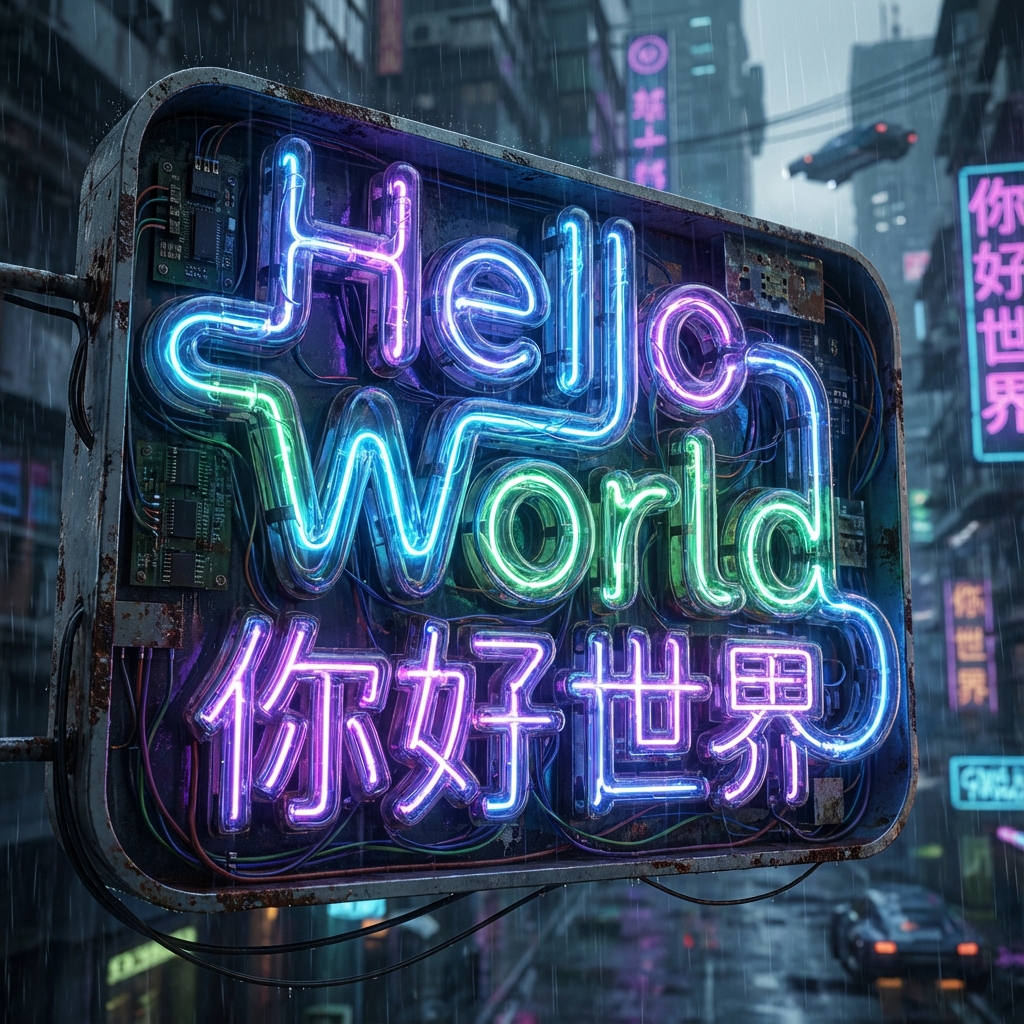
We asked for a neon sign saying "Hello World" and "你好世界". No cherry-picking—this was the raw output. If you are designing for global markets or Asian aesthetics, this feature alone makes Z-Image a must-have in your toolkit.
Pros and Cons
✅ The Good
- Insane Speed: Sub-second generation on high-end GPUs.
- Bilingual Mastery: Best-in-class English and Chinese text rendering.
- Prompt Adherence: Follows complex instructions surprisingly well for a distilled model.
- Low VRAM Req: Runs comfortably on 12GB cards, unlike the VRAM-hungry Flux.
❌ The Bad
- ControlNet-Compatibility: As of now, applying heavy ControlNets can degrade quality (users report "muddy" textures).
- Style Rigidity: It has a strong "default" aesthetic that can be hard to prompt away from without LoRAs.
Verdict: Who is this for?
If you are a concept artist, a UI designer needing rapid assets, or just someone who hates waiting, Z-Image Turbo is a game-changer.
It bridges the gap between "toy" real-time generators and "pro" slow-render engines. It is fast enough to be interactive but good enough to be final production art.
Ready to test the speed yourself?